Technical tutorials and courses
Follow software, data, engineering, and science videos when acronyms and domain terms arrive faster than the instructor can explain them.
 JargonLens
JargonLens is a free Chrome extension that reads the captions of the YouTube video you're watching and explains technical terms, slang, and idioms the moment they are spoken. No pausing, no second tab.
Chrome & Edge · English videos with captions · Free
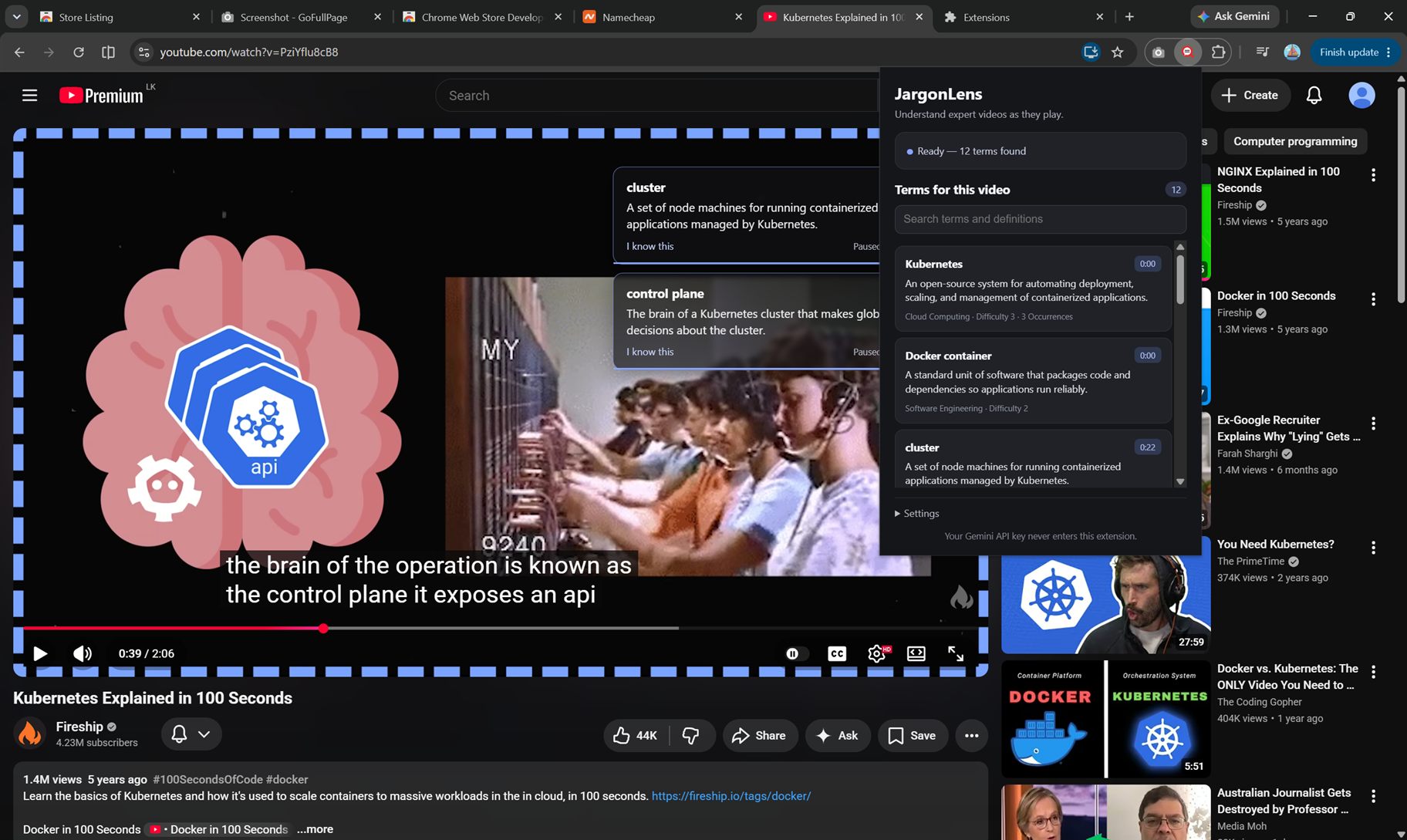
Definitions landing on cue, the glossary popup, and the jump-to-timestamp — on a real video.
Each definition appears about a second before the term is spoken, stays 10 seconds, then fades. One card at a time, at least 30 seconds apart.
Search every term found in the current video and jump straight to its timestamp. Your last 20 glossaries stay available, stored locally.
Click a card to hold it, double-click for a longer explanation, and mark terms “I know this” so they never appear again.
Built for focused learning
JargonLens helps when a speaker assumes you already know the vocabulary, slang, or non-literal phrase they just used. It adds the missing context without turning the video into a summary or interrupting the lesson.
Follow software, data, engineering, and science videos when acronyms and domain terms arrive faster than the instructor can explain them.
Understand terms such as EBITDA, free cash flow, amortisation, and CapEx at the point where they matter to the speaker's argument.
Understand specialist language, context-dependent slang, and idioms, then use the timestamped glossary to revisit what they meant.
Questions
Install JargonLens, open a public English YouTube video with captions, and allow caption analysis. The extension identifies technical terms, slang, and idioms and shows their contextual meaning near the moment each is spoken. See exactly how the YouTube term explainer works.
No. JargonLens keeps the original video and argument in focus. It explains unfamiliar terms in context and creates a timestamped glossary instead of replacing the video with a summary.
JargonLens works with public English YouTube videos that already have captions. It is designed for desktop browsers based on Chrome, including Google Chrome and Microsoft Edge.
No. After you give consent, JargonLens sends the current video's URL and transcript for analysis. It does not record audio or send your browsing history, and transcripts are not logged or stored. Read the full privacy notice.
JargonLens runs only on YouTube, and only after you allow caption analysis. It sends the current video's URL and transcript for analysis — never your browsing history, never audio. Transcripts aren't logged or stored, and your settings live in your browser. Full privacy notice →
Add to Chrome — free